Every Bihar government employee has been through this situation at some point — filling out a handwritten leave application, getting it signed, and then waiting days to know if it was approved or not. That paperwork era is over. The HRMS Bihar portal has made the entire process digital, and it works for every leave type — from a simple one-day Casual Leave to a 26-week Maternity Leave.
This guide covers everything — the step-by-step HRMS leave application process, all types of leave in Bihar government, LWP rules, maternity leave entitlement, the Child Care Leave affidavit format, and what to do when leave is rejected. Whether you are searching for HRMS leave application form online or just want to understand types of leave in Bihar government clearly — this is the only page you need.
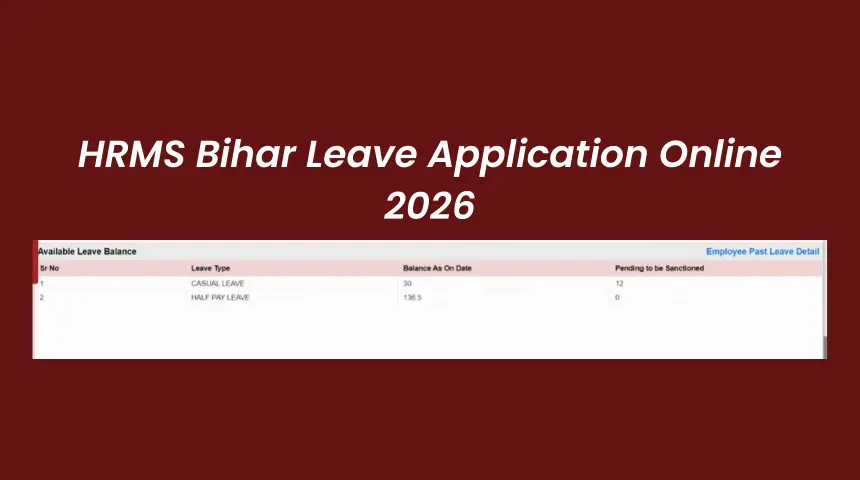
HRMS Bihar Leave Application — All Leave Types 2026
How to Apply for Leave Online on HRMS Bihar — Step by Step
The HRMS Bihar leave application form online is inside the main portal — no separate URL needed. HRMS leave management login uses your regular Employee ID and password. Here is the complete process.
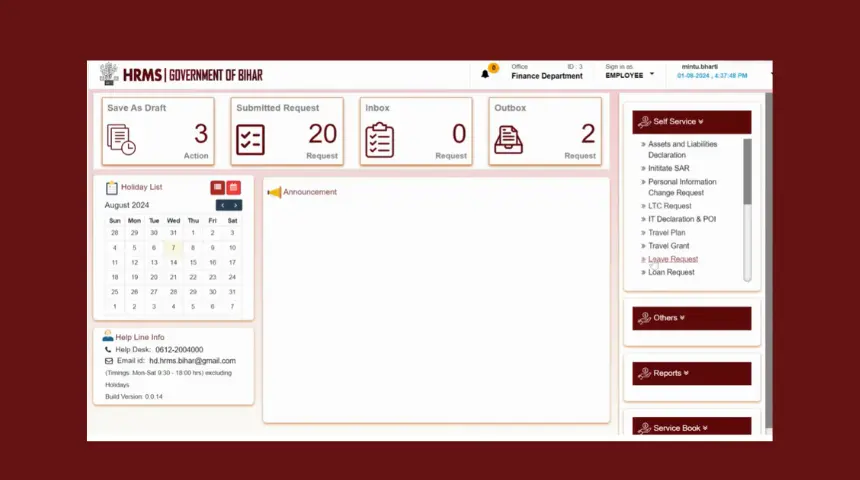
HRMS Bihar Leave Management — Dashboard View
- Open Google Chrome and go to
hrms.bihar.gov.in. Login with your Employee ID and password. If you need help with login, see our complete HRMS Bihar login guide. - On your dashboard, look for Leave Management in the navigation menu. Click it. This is your HRMS leave management section — no separate login needed.
- Check your Leave Balance first — click Leave Balance before applying. This shows your available days for each leave type. Applying without checking is the most common mistake people make — it leads to auto-rejection.
- Click Apply for Leave. The HRMS Bihar leave application form opens.
- From the Leave Type dropdown, select the type you need — Earned Leave, Casual Leave, Medical Leave, LWP, Maternity Leave, Child Care Leave, etc.
- Enter From Date and To Date. The system automatically calculates number of days and shows how much balance will remain after approval.
- Enter your Reason clearly. For Medical Leave attach doctor's certificate. For Child Care Leave, attach the CCL affidavit. For Study Leave, attach the institution letter.
- Click Submit. Your DDO receives the application automatically with a notification. You get a confirmation SMS on your registered mobile number. Note the Application Reference Number shown on screen.
Check Leave Balance & Application Status
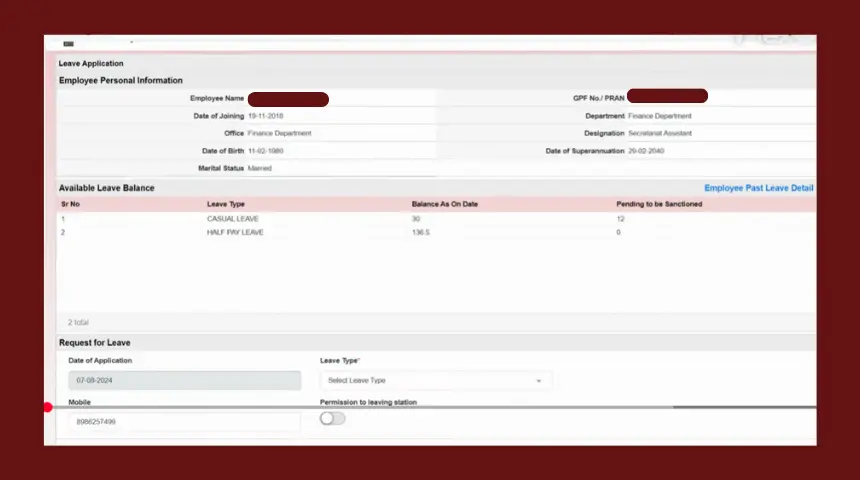
HRMS Bihar Leave Balance — Available Days for Each Leave Type
How to Check Leave Balance
- Login to
hrms.bihar.gov.inand go to Leave Management. - Click Leave Balance. All your available leave days appear — Earned Leave, Casual Leave, Half Pay Leave, and others — in a single table.
- Note down your available balance for the type you want to apply. Apply only if sufficient balance is available to avoid rejection.
How to Check Leave Application Status
- Login → Leave Management → My Leave Applications or Leave Status.
- All your submitted applications appear with the current status — Pending Approval, Approved, or Rejected.
- For Rejected applications, your DDO's rejection reason is visible. Read it, address the reason, and reapply.
Types of Leave in Bihar Government — Complete List
Many employees only know about Earned Leave and Casual Leave. But Bihar government employees are entitled to several leave types — each with different rules, pay implications, and conditions. Here is the complete picture.
Earned Leave (EL)
Credited automatically twice yearly
30 days/year15 days on Jan 1 + 15 days on Jul 1. Carry forward up to 300 days. Encashable at retirement.
Casual Leave (CL)
For day-to-day personal needs
12 days/yearNo carry forward to next year. Not combinable with EL generally. Lapses if unused by 31st December.
Medical / Sick Leave (ML)
Illness with medical certificate
As per HPL rulesMedical certificate from registered doctor required. Can be commuted to full pay leave.
Half Pay Leave (HPL)
50% salary during leave period
20 days/yearAccumulatable without limit. Can be commuted to full-pay Commuted Leave on medical grounds.
LWP / Extraordinary Leave
Leave Without Pay — no salary
No limitGranted when all paid leave is exhausted. Full salary deducted. Period may not count as qualifying service.
Maternity Leave
For women employees — full pay
26 weeks26 weeks for first two children. 12 weeks for third child. Under Maternity Benefit Act 1961.
Paternity Leave
For male employees
15 daysFor male government servants with less than two surviving children. Taken around time of child's birth.
Child Care Leave (CCL)
Women employees — care of children
730 days lifetimeTotal 730 days in entire service. For children up to 18 years (extended for disabled children). CCL affidavit required.
Study Leave
Higher education or training
Up to 24 monthsRequires department sanction and bond to serve after returning. Salary during study leave varies.
Special Casual Leave
Specific approved purposes
VariesFor election duty, blood donation, sports representation, NCC/NSS camps, etc. Separately sanctioned.
| Leave Type | Days Per Year | Pay During Leave | Carry Forward |
|---|---|---|---|
| Earned Leave (EL) | 30 (15+15) | Full pay | Yes — up to 300 days |
| Casual Leave (CL) | 12 | Full pay | No — lapses on 31 Dec |
| Half Pay Leave (HPL) | 20 | 50% of pay | Yes — unlimited |
| Commuted Leave | From HPL balance | Full pay | HPL carry-forward applies |
| LWP / Extraordinary | No limit | No pay | Not applicable |
| Maternity Leave | 182 days (26 wks) | Full pay | Not applicable |
| Paternity Leave | 15 days | Full pay | Not applicable |
| Child Care Leave (CCL) | 730 days lifetime | Full pay (first 365 days) | Lifetime accumulation |
| Study Leave | Up to 24 months total | Partial pay (rules apply) | Not applicable |
LWP in HRMS Bihar — Leave Without Pay Explained
Many employees search "lwp in hrms" without fully understanding what it means for their service record and salary. Here is what you need to know before applying for LWP.
LWP stands for Leave Without Pay. On the HRMS Bihar portal it may appear as LWP, EOL (Extraordinary Leave), or simply Leave Without Pay in the leave type dropdown. It is granted in two situations — either when all your paid leave balance is exhausted, or when you voluntarily want unpaid leave even if paid leave is available.
2. Qualifying service — LWP period generally does not count towards qualifying service for pension calculation.
3. Increment impact — If total LWP in a year exceeds limits, it may defer your annual increment.
4. DDO approval required — LWP is not auto-granted. Your DDO must approve it.
How to Apply for LWP on HRMS Bihar
- Login to
hrms.bihar.gov.in→ Leave Management. First check your Leave Balance to confirm all paid leave types are exhausted or you specifically want LWP. - Click Apply for Leave. In the Leave Type dropdown select LWP or Extraordinary Leave or Leave Without Pay.
- Enter your leave dates and write a clear, specific reason. LWP applications require stronger justification than paid leaves — mention the exact circumstances.
- Submit the application. Your DDO reviews it. Unlike paid leave, DDOs scrutinise LWP applications more carefully.
- If approved, the LWP period will show a salary deduction on your next month's pay slip. Check our salary certificate guide to verify deductions.
Maternity Leave Rules in Bihar Government
Many women government employees in Bihar are not fully aware of their maternity leave entitlement. The rules are actually quite employee-friendly — and they apply on the HRMS Bihar portal the same way as any other leave.
| Category | Maternity Leave Entitlement | Pay During Leave |
|---|---|---|
| First / Second Child | 26 weeks (182 days) | Full pay |
| Third Child onwards | 12 weeks (84 days) | Full pay |
| Adoptive Mother | 12 weeks | Full pay |
| Commissioning Mother (surrogacy) | 12 weeks | Full pay |
| Miscarriage / Medical termination | 6 weeks | Full pay |
Under the Maternity Benefit Act, 1961 — applicable across India including Bihar — leave can start up to 8 weeks before the expected delivery date. The remaining weeks are taken after delivery.
To apply: Login to hrms.bihar.gov.in → Leave Management → Apply for Leave → Select Maternity Leave → Enter dates → Attach required documents (medical certificate of expected delivery date) → Submit to DDO.
Child Care Leave (CCL) Bihar Government — Affidavit Format
Child Care Leave or CCL is one of the most under-utilized yet most important leave types for women Bihar government employees. Many employees do not apply for CCL simply because they do not know how, or because they are unsure about the Bihar government child care leave affidavit format.
CCL Rules for Bihar Government Women Employees
Bihar Government Child Care Leave Affidavit Format
The CCL affidavit (self-declaration) must be submitted with your HRMS Bihar leave application. There is no universally printed form — it is a written declaration. The format required by most Bihar departments is as follows:
1. I am the mother / guardian of (Child's Name), Date of Birth: .
2. I am applying for Child Care Leave (CCL) from to for the purpose of: (illness / education / genuine care requirement).
3. I declare that the total CCL availed by me so far is days, and this application is within the total limit of 730 days.
4. All information provided above is true to the best of my knowledge.
Place: Date:
Signature:
How to Cancel a Leave Application on HRMS Bihar
Plans change. You applied for a week's earned leave but the situation resolved sooner. Or your DDO needs you back early. Leave cancellation on the HRMS Bihar portal is simple — but it must be done before the leave end date.
- Login to
hrms.bihar.gov.in→ Leave Management → My Leave Applications. - Find the approved leave entry you want to cancel. Click on it to expand details.
- Click Cancel Leave or Withdrawal Request.
- Enter the reason for cancellation and click Submit.
- The system notifies your DDO. Once DDO approves the cancellation, the leave days are restored to your balance automatically.