e-nidhi-v2.bihar.gov.in (CFMS 2.0 ✅ Working) or hrms.bihar.gov.in → Finance → GPF (✅ Working).⚠️ Note — March 2026: e-gpf.bihar.gov.in is currently redirecting to an unrelated portal — this is a Bihar government server issue, not your mistake. Use CFMS 2.0 or HRMS Bihar until fixed.
Okay, so here is the situation most Bihar government employees face. You know your GPF is being deducted from your salary every single month. You can see it on your pay slip — that line that says "GPF Deduction." But when someone asks "bhai, kitna GPF jamaa hua?" — you have absolutely no idea. You have never actually checked.
That is what this guide fixes. And honestly, GPF balance check Bihar online is much simpler than most people think. The confusion is that three different portals now handle GPF — e-gpf.bihar.gov.in, HRMS Bihar, and the new CFMS 2.0 Karamchari Seva Portal — and nobody explains clearly which one to use.
So let us go through everything — from finding your GPF account number, to the actual login steps, to fixing password problems, to understanding what your g.p.f. statement actually shows. This guide covers gpf statement download bihar, bihar gpf login, e gpf statement bihar, and all other GPF details Bihar government employees need in one place.
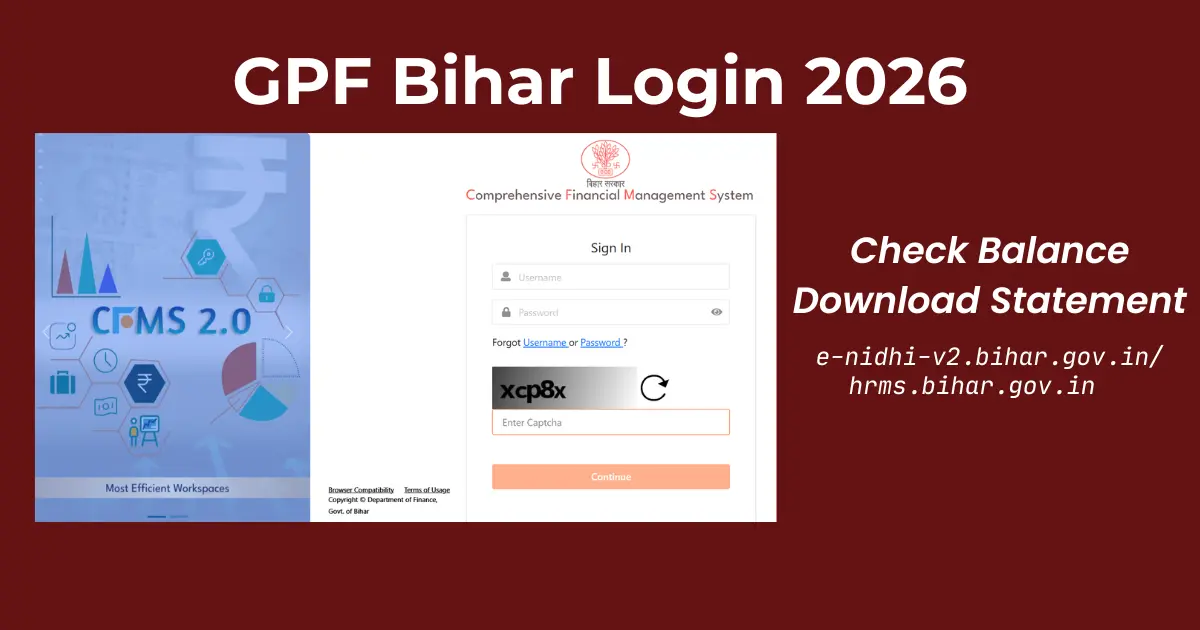
GPF Bihar Login — e-gpf.bihar.gov.in Official Portal
3 Portals for GPF Bihar — Which One Should You Use?
If you search "gpf bihar" or "gpf login bihar" on Google, you will find references to at least three different government portals. This confuses a lot of employees. Here is a plain explanation of each one.
e-GPF Bihar Portal — Currently Unavailable
Official GPF portal by GPF Directorate Bihar. As of March 2026, e-gpf.bihar.gov.in is redirecting to an unrelated Bihar govt portal. This is a server issue — not your problem. Use CFMS 2.0 or HRMS Bihar below.
→ e-gpf.bihar.gov.in (check status)HRMS Bihar Portal — Working
Main HR portal for leave, salary slip, and service book. Has a Finance → GPF section. Convenient if you already login here regularly.
→ hrms.bihar.gov.in ✅CFMS 2.0 / Karamchari Seva Portal — Working
Newest portal (2025). Handles GPF, NPS, salary, tax, loans — all in one login. Currently the primary working method for GPF Bihar in March 2026.
→ e-nidhi-v2.bihar.gov.in ✅| Portal | URL | Login With | Best For | Status (Mar 2026) |
|---|---|---|---|---|
| e-GPF Bihar | e-gpf.bihar.gov.in | GPF Account No. + Password | GPF balance, annual slip download | ⚠️ Redirecting |
| HRMS Bihar | hrms.bihar.gov.in | Employee ID + Password | GPF under Finance menu | ✅ Working |
| CFMS 2.0 | e-nidhi-v2.bihar.gov.in | User ID + OTP + Aadhaar | GPF + salary + NPS + all services | ✅ Working |
Method 1: GPF Bihar Login via e-gpf.bihar.gov.in
This is the main, dedicated GPF portal for Bihar. Most employees who search "egpf bihar login" or "e-gpf.bihar.gov.in login" or even "bihar gpf login" are looking for exactly this. The process is straightforward once you know your GPF account number.
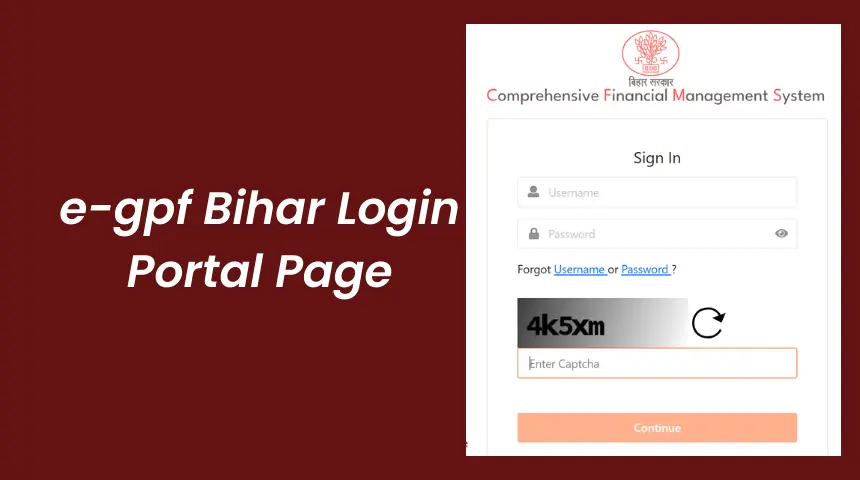
e-GPF Bihar Portal Login Page at e-gpf.bihar.gov.in
- Open Google Chrome and go to
e-gpf.bihar.gov.in— the official GPF Bihar portal by the GPF Directorate Bihar, Finance Department, Government of Bihar. - Enter your GPF Account Number as User ID. The format is
SERIES/NUMBER— for exampleEDN/12345for Education orMED/567for Medical. Find this on your salary slip under the "GPF Deduction" column. - Enter your Password. First-time login default password is
abc(all lowercase). If already changed before, use your current password. Change the default password immediately after first login. - After login, click Employees Corner on the homepage. Then click the GPF tab. Your GPF account details will load.
- Select the Financial Year — for example
2025-26. Click Generate GPF Slip. Your complete GPF statement appears on screen. - Press Ctrl+P on keyboard. Change the print destination to Save as PDF. Click Save. Your GPF statement download Bihar is complete.
How to Find Your Bihar GPF Account Number — Department Series Codes
Many employees get stuck at Step 2 because they do not know their GPF account number. It is printed on your monthly salary slip — look at the deductions section. The number starts with a department code (called a series code), followed by a slash and a number.
e-GPF Bihar Login Password Not Working — Fix Guide
This is genuinely the most common complaint Bihar government employees have. The default password "abc" is not working, or the OTP is not coming. Here is what to try, in order.
| Problem | What to Do |
|---|---|
| Portal opens e-receipt.bihar.gov.in instead of GPF | ⚠️ This is a Bihar government server issue as of March 2026. e-gpf.bihar.gov.in is currently redirecting to e-receipt — an unrelated payment portal. Use CFMS 2.0 at e-nidhi-v2.bihar.gov.in or HRMS Bihar at hrms.bihar.gov.in as working alternatives right now. |
| Default password "abc" not working | Password was likely changed in a previous login. Request reset from your DDO or GPF Office Patna at 0612-2217601. |
| OTP for reset not received on mobile | Your mobile number is not registered in the GPF system. Visit your DDO or district treasury office — registration requires a physical visit, cannot be done online. |
| GPF account number says "not found" | Double-check the series code. Try entering it without the slash "/" as well. If still not found, contact your DDO. |
| Website not loading, shows error | Clear browser cache with Ctrl+Shift+Delete. Try Chrome in incognito mode. Government portals are slow during office hours — try before 9am or after 7pm. |
| Statement shows months missing | Submit your deduction statement through your DDO to the GPF Office for account updation. Some district data is still being migrated into the system. |
Method 2: HRMS GPF Statement via hrms.bihar.gov.in
If you already use the HRMS Bihar portal for your salary slip, leave application, or increment details — you do not need a separate login for GPF. The HRMS portal has a Finance menu that shows your HRMS GPF statement directly.
- Go to
hrms.bihar.gov.inand login with your Employee ID and password. - On the dashboard, find the Finance menu in the navigation. Click it and select GPF Statement or GPF Account Details from the submenu.
- A filter screen appears. Select the financial year — for example
2025-26. Click View. - Your HRMS GPF statement loads with opening balance, monthly credits, interest, withdrawals, and closing balance. Press Ctrl+P → Save as PDF to download.
Method 3: e-GPF Statement via CFMS 2.0 — Karamchari Seva Portal
The CFMS 2.0 (Comprehensive Financial Management System 2.0) at e-nidhi-v2.bihar.gov.in is Bihar's newest financial portal, launched in 2025. The Karamchari Seva Portal (also written as Karmchaari Seva Portal) is its employee self-service section — Karamchari means employee in Hindi.
Think of it this way — e-gpf.bihar.gov.in handles GPF only. CFMS 2.0 handles GPF, NPS, salary, deductions, loans, pension, tax — everything in one login. It takes more steps to set up initially, but once done it is the most complete portal for a Bihar government employee's financial records.
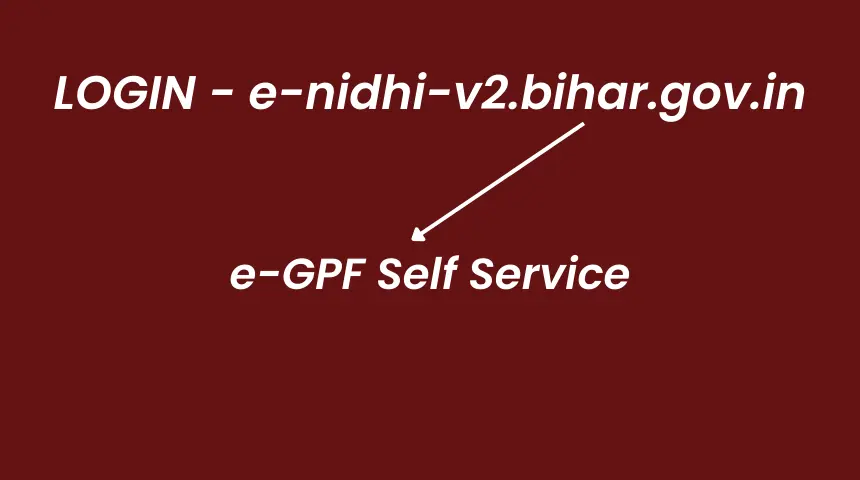
CFMS 2.0 / Karamchari Seva Portal — e-nidhi-v2.bihar.gov.in
- Open
e-nidhi-v2.bihar.gov.in— this is the official CFMS 2.0 Karamchari Seva Portal of Government of Bihar. - Enter your User ID and Password. Then provide your PAN number, GPF/PRAN number, and Aadhaar number. Generate OTP via your registered mobile number to complete login.
- After login, find Payee Self Service or e-GPF Self Service on the dashboard — the exact label depends on your department and role.
- Click the Pay Bill link, then select Annual GPF Statement. Enter your GPF or PRAN number, select the financial year, and set Report Type to PDF.
- Click Generate. Your e-GPF statement download PDF saves automatically. This is your official annual GPF statement from the CFMS 2.0 system.
GPF Balance Enquiry Bihar Online — All Methods Compared
For employees asking "how to do GPF balance check Bihar online" or "GPF balance enquiry Bihar online via mobile number" — here is the full comparison. All three portals work on mobile browsers. No app download needed.
| Method | Portal URL | What You Need | Works on Mobile? |
|---|---|---|---|
| e-GPF Portal (Direct) | e-gpf.bihar.gov.in | GPF A/C Number + Password | ⚠️ Currently redirecting (Mar 2026) |
| HRMS Bihar Portal | hrms.bihar.gov.in | Employee ID + Password | ✅ Yes — working |
| CFMS 2.0 / e-Nidhi | e-nidhi-v2.bihar.gov.in | User ID + OTP + Aadhaar | ✅ Yes — working |
| GPF Office Patna | Panth Bhawan, Bailey Road | Employee ID proof | ❌ Physical visit |
| Helpline | 0612-2217601 | GPF Account Number | 📞 Phone only |
GPF Balance Check Bihar 2026 — Check GPF Balance Online from Mobile or Computer
Let us be direct about this. GPF balance check Bihar online is something thousands of Bihar sarkari employees search for every single month — and most of them end up confused because they land on the wrong page or portal. So here is the clearest answer possible.
You have three ways to do a gpf bihar online check — all free, all official, no middleman needed. Whether you are sitting at home on your phone or at your office on a desktop, the process takes under five minutes once you know your GPF account number.
| Method | Portal | What You Get | Speed |
|---|---|---|---|
| GPF Balance Check Bihar — e-GPF Portal | e-gpf.bihar.gov.in | Annual balance, monthly credits, interest credited | ⚠️ Currently redirecting (Mar 2026) |
| HRMS Bihar GPF Balance | hrms.bihar.gov.in | GPF account details under Finance menu | ✅ 3-4 min — working |
| CFMS 2.0 Balance Check | e-nidhi-v2.bihar.gov.in | Full e-GPF statement with all transactions | ✅ 5-7 min — working |
GPF Balance Enquiry Bihar Online via Mobile Number — Step by Step
Many employees specifically search for GPF balance enquiry Bihar online mobile number because they want to check their balance from their phone without any desktop browser. Good news — HRMS Bihar and CFMS 2.0 are fully mobile-friendly in 2026. Here is the exact process for mobile.
- Open Google Chrome on your Android phone (or Safari on iPhone). Go to
hrms.bihar.gov.in— this is the fastest working option right now. If the page looks too zoomed in, tap the three dots → select Desktop Site. - Login with your Employee ID and password.
- Tap Finance menu → GPF Statement.
- Tap Employees Corner → GPF tab. Your current GPF balance details load on screen.
- To save, tap the three dots in Chrome → Print → Save as PDF. This gives you the e GPF statement download on your phone directly.
GPF Bihar Balance Check — What the Numbers Mean
After doing your bihar gpf balance check, you will see a screen with several rows of numbers. This confuses many employees — they see a balance that seems too low or too high and worry something is wrong. Here is what each number means for your gpf balance check 2026.
| What You See on Screen | Plain Meaning | Is It Normal? |
|---|---|---|
| Opening Balance (April) | Total GPF money you had on 1st April of current year | ✅ This is your starting point |
| Monthly Credits | Amount deducted from your salary each month going into GPF | ✅ Should match your salary slip GPF deduction |
| Interest for Year | 7.1% interest added by government on your minimum balance | ✅ Credited on 31st March |
| Advance/Withdrawal | Any GPF advance you took during the year | ⚠️ Check if any advance you did not authorise appears here |
| Closing Balance | Total GPF balance as on 31st March — your actual retirement corpus | ✅ This is your real GPF wealth |
| Missing months (zero credit) | Some months show zero credit | ⚠️ Salary may not have been processed — contact DDO |
GPF Statement Download Bihar — All Formats and Portals Explained
The phrase gpf statement download bihar covers three different things depending on who you ask — and that is why so many employees end up confused. Some want the annual slip from e-gpf.bihar.gov.in. Some want the e GPF statement Bihar from CFMS 2.0. And some want the HRMS Bihar version. Let us clarify each one clearly.
e GPF Statement Bihar — Download from e-gpf.bihar.gov.in
This is the original, dedicated GPF portal run by the GPF Directorate Bihar, Finance Department. The e gpf statement download from here is accepted everywhere — banks, courts, pension offices, DDOs. Note: e-gpf.bihar.gov.in is currently redirecting as of March 2026. Steps below for when it is restored.
- Login to
e-gpf.bihar.gov.inwith your GPF account number and password. - Click Employees Corner on the main page. This section is specifically for Bihar government employees doing self-service — salary employees, teachers, medical staff, police, and all other departments.
- Click the GPF tab. You will see your account summary load automatically.
- Use the Financial Year dropdown to select the year. For current year data, select
2025-26. For previous year, select2024-25. - Click Generate GPF Slip. Wait 10-15 seconds. The bihar gpf statement loads as an HTML table on your screen.
- Press Ctrl+P (Windows) or Cmd+P (Mac). Change printer destination to Save as PDF. Click Save. Your gpf statement download Bihar is done.
HRMS GPF Statement — Download from hrms.bihar.gov.in
The HRMS GPF statement is increasingly popular because most Bihar government employees already use HRMS Bihar for their salary slip and leave. No separate GPF login needed — your existing HRMS Employee ID works.
After logging into hrms.bihar.gov.in, navigate to Finance → GPF Statement. Select your financial year. The HRMS Bihar GPF statement loads with your complete account details — opening balance, monthly subscription amounts, interest credited at 7.1%, any withdrawals, and the closing balance. Save it as PDF with Ctrl+P exactly as above.
e GPF Statement — Understanding the Full Document
Your complete e gpf statement — whether from e-gpf.bihar.gov.in or CFMS 2.0 — is not just a balance figure. It is a full ledger of your GPF account for the entire financial year. Bihar government employees often only look at the closing balance and miss important details. Here is what to check carefully every time you download your gpf statement bihar government employee record.
| What to Check | Where to Look | Red Flag |
|---|---|---|
| Monthly subscription amounts | Row by row for each month April to March | Any month showing Rs 0 when you were in service |
| GPF account number | Top of statement — SERIES/NUMBER format | Wrong series code indicates data entry error |
| Interest calculation | Usually shown as one annual credit in March | No interest entry means account may be frozen |
| Advance entries | Withdrawal column — should match any GPF advance you applied for | Withdrawal entry you did not authorise — contact DDO immediately |
| Closing balance | Last row of the statement | Lower than expected — cross-check with past statements |
What Your Bihar GPF Statement Shows — Field by Field
Once you download your GPF statement — whether from e-gpf.bihar.gov.in, HRMS Bihar, or CFMS 2.0 — the g.p.f. statement shows the same information. Here is what each field means in plain language.
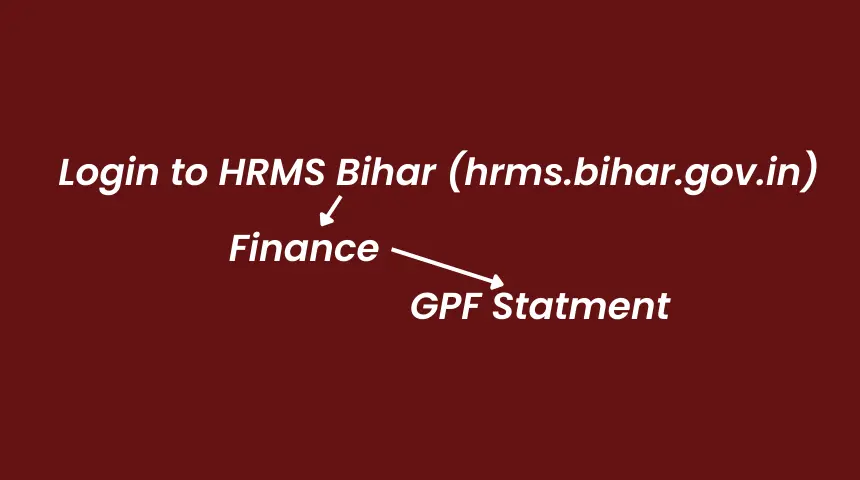
Bihar GPF Statement — Fields Explained
| Field on Statement | What It Means |
|---|---|
| GPF Account Number | Your unique ID in format SERIES/NUMBER (e.g., EDN/12345) |
| Opening Balance | Total GPF balance at start of the financial year (1st April) |
| Monthly Subscription | Amount deducted from your salary and credited to GPF each month |
| Interest Credited | Annual interest at 7.1% (2025-26) on your minimum monthly balance |
| Advance / Withdrawal | Partial withdrawals made during the year, with repayment entries |
| Closing Balance | Total GPF savings as on 31st March — your retirement corpus |
| Nomination Details | Family member who will receive GPF if employee passes away during service |
GPF Interest Rate Bihar 2026 — Current and Previous Years
For employees asking about GPF balance check 2026 or GPF details Bihar related to interest — here is the complete picture. Bihar state government employees follow the Central Government GPF interest rate declared quarterly by the Ministry of Finance, India. Interest is calculated on the minimum monthly balance and credited annually on 31st March.
| Financial Year | GPF Interest Rate | Note |
|---|---|---|
| 2025-26 | 7.1% per annum | Current rate |
| 2024-25 | 7.1% per annum | |
| 2023-24 | 7.1% per annum | |
| 2022-23 | 7.1% per annum | |
| 2021-22 | 7.1% per annum | |
| 2020-21 | 7.1% per annum | |
| 2019-20 | 8.0% per annum | Pre-rate-cut era |
GPF Withdrawal Rules for Bihar Government Employees
You can make partial GPF withdrawals — called GPF advances — during service for specific approved purposes. These are not taken lightly and each has conditions. Here is a clear summary.
Medical Emergency
Serious illness of self or dependent family. No repayment required after 10 years of service.
Higher Education
For children's higher education. Allowed after 15 years of service.
Marriage
Marriage of self or children. Maximum 50% of GPF balance or 3 months basic pay — whichever is less.
Housing
Construction, purchase, or major repair of residence. Subject to available balance.
Consumer Goods
Purchase of consumer durables after 10 years of service. Limited amount allowed.
Final Withdrawal at Retirement
Complete balance paid out. 100% tax-free. No conditions or repayment.
GPF Details Bihar — Complete Account Information Every Employee Needs
Employees searching for gpf details Bihar are usually looking for one of three things — their GPF account number, their current balance, or their subscription history. Sometimes all three. Here is a one-stop breakdown of all GPF details Bihar government employees need to manage their account properly.
| GPF Detail You Need | Where to Find It | What to Do |
|---|---|---|
| GPF Account Number | Monthly salary slip — GPF Deduction column | Note the SERIES/NUMBER format (e.g., EDN/12345) |
| GPF Balance (Current Year) | HRMS Bihar → Finance → GPF or CFMS 2.0 (e-gpf.bihar.gov.in currently redirecting) | Login and generate GPF slip for 2025-26 |
| GPF Annual Statement PDF | CFMS 2.0 at e-nidhi-v2.bihar.gov.in or HRMS Bihar | Download via Ctrl+P → Save as PDF |
| GPF Subscription Rate | Salary slip — shows monthly deduction amount | Minimum 6% of basic pay; can be increased voluntarily |
| GPF Nomination Details | e-gpf.bihar.gov.in account or service book | Update nomination if family situation changed |
| GPF Interest Credited | Annual statement — usually shown in March entry | Verify 7.1% applied on minimum monthly balance |
| GPF Advance Status | HRMS Bihar Finance menu or e-gpf.bihar.gov.in | Check withdrawal entries and repayment status |
GPF Bihar Govt Employee — Who Qualifies and Who Does Not
This is one of the most important GPF details Bihar government employees often get wrong — especially newer employees who joined after 2004 and their colleagues who confuse NPS with GPF.
GPF applies only to Bihar state government employees — whether teacher, police constable, revenue employee, health worker, or any other sarkari employee — who joined service before 1st January 2004. If you joined on or after that date, you are under NPS. Your salary slip will show "NPS Deduction" not "GPF Deduction." Do not try to login to e-gpf.bihar.gov.in as a post-2004 employee — your account simply will not exist there.
Karamchari Seva Portal Bihar — CFMS 2.0 Self Service Explained
The official portal at e-nidhi-v2.bihar.gov.in is known by two names that confuse many employees — Karamchari Seva Portal (also written as Karmchaari Seva Portal). Both spellings refer to the same portal. Karamchari (कर्मचारी) means employee in Hindi. Seva means service. So this is literally the Employee Services Portal of Bihar government.
The CFMS 2.0 self service section — accessed after login at e-nidhi-v2.bihar.gov.in — is where Bihar government employees can check their GPF statement, NPS details, salary slip, tax deductions, and loan status all in one place. This is newer and more comprehensive than e-gpf.bihar.gov.in. And as of March 2026 it is the primary working method for GPF Bihar since e-gpf.bihar.gov.in is currently redirecting. It requires your Aadhaar, PAN, and registered mobile for the first login, which is why many employees prefer HRMS Bihar for a quick gpf balance check Bihar.
GPF Office Patna — Address, Phone & Email
For problems you cannot solve online — missing credits, account discrepancy, password reset without registered mobile, duplicate statement requests — here are the official contact details for the GPF Office Patna Bihar and the GPF Directorate Bihar.
| Detail | Information |
|---|---|
| Office Name | GPF Directorate Bihar — Finance Department, Government of Bihar |
| Address | 5th Floor, Panth Bhawan, Hartali More, Bailey Road, Patna – 800001, Bihar |
| HRMS Helpline | 0612-2217601 |
| hrmshelp-bih@nic.in | |
| Official Portal | e-gpf.bihar.gov.in (currently redirecting as of March 2026) |
| Working Portals | hrms.bihar.gov.in ✅ | e-nidhi-v2.bihar.gov.in (CFMS 2.0) ✅ |
| District Level | Contact nearest District Treasury Office for district-level GPF issues |
| AIS / IAS Officers | Accountant General (A&E), Bihar, Patna handles GPF for All India Service officers |